

Do Curling Irons Turn Off Automatically? Safety and Feature Guide
Do curling irons turn off automatically? Many modern curling irons do. They often shut off by themselves after 30 to 60 minutes.
This happens when you leave them turned on. It helps prevent accidents. This safety feature helps prevent fire hazards if you forget to unplug the device.
The automatic shut-off works by sensing inactivity. The iron powers down after the set time when you stop using it. This saves energy and increases safety.
Some brands have shorter or longer timers. So it pays to check your model’s specs.
This feature improves safety but can sometimes turn off too soon. Moving slowly while styling might trigger the shut-off. Watch your iron during use to avoid interruptions or look for models with adjustable timers.
Key Takeaways
- Most curling irons turn off automatically after 30 to 60 minutes of inactivity.
- The shut-off feature activates when the iron senses no movement or use.
- Timer lengths vary; some brands like Babyliss allow up to 72 minutes.
- Automatic shut-off reduces fire risk if you forget to unplug your iron.
- Move the iron regularly to prevent it from shutting off too soon.
- Check if your curling iron has adjustable auto shut-off settings.
Do Curling Irons Automatically Turn Off After Use?
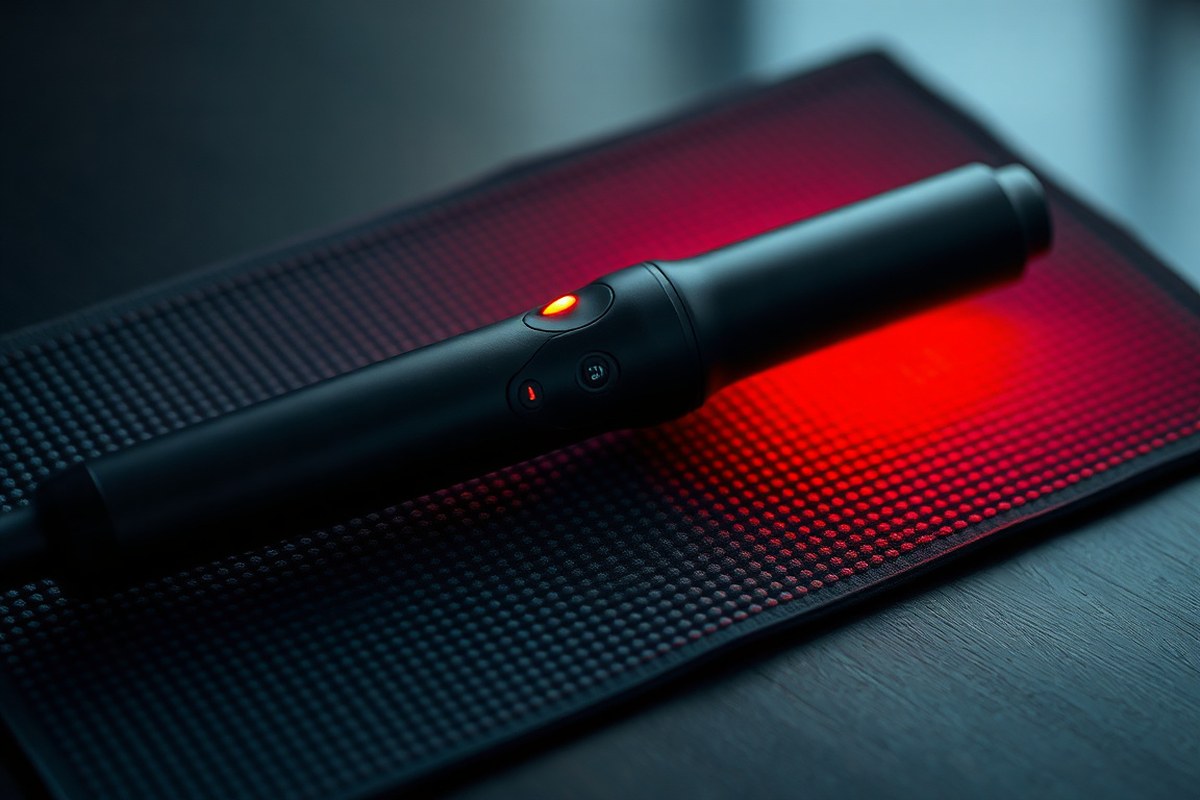
Most curling irons automatically turn off if you forget to switch them off. This feature usually kicks in after 30 to 60 minutes of no use. It helps prevent overheating and potential fire hazards when you get distracted or rush out.
Not every curling iron has this feature, though. Many modern models include it, but some budget or older irons might not. Always check the product details before buying a curling iron.
Make sure it has an automatic shut-off feature. This helps avoid fire risks if you forget to turn it off.
The automatic shut-off starts usually 30 to 60 minutes after use. It activates when the iron stops moving or heating. This safety feature prevents accidents from unattended irons.
For example, BaBylissPRO and Conair models power down after about an hour. Others, like the CHI Spin N Curl, shut off closer to 30 minutes.
How Does the Automatic Shut-Off Feature Work in Curling Irons?
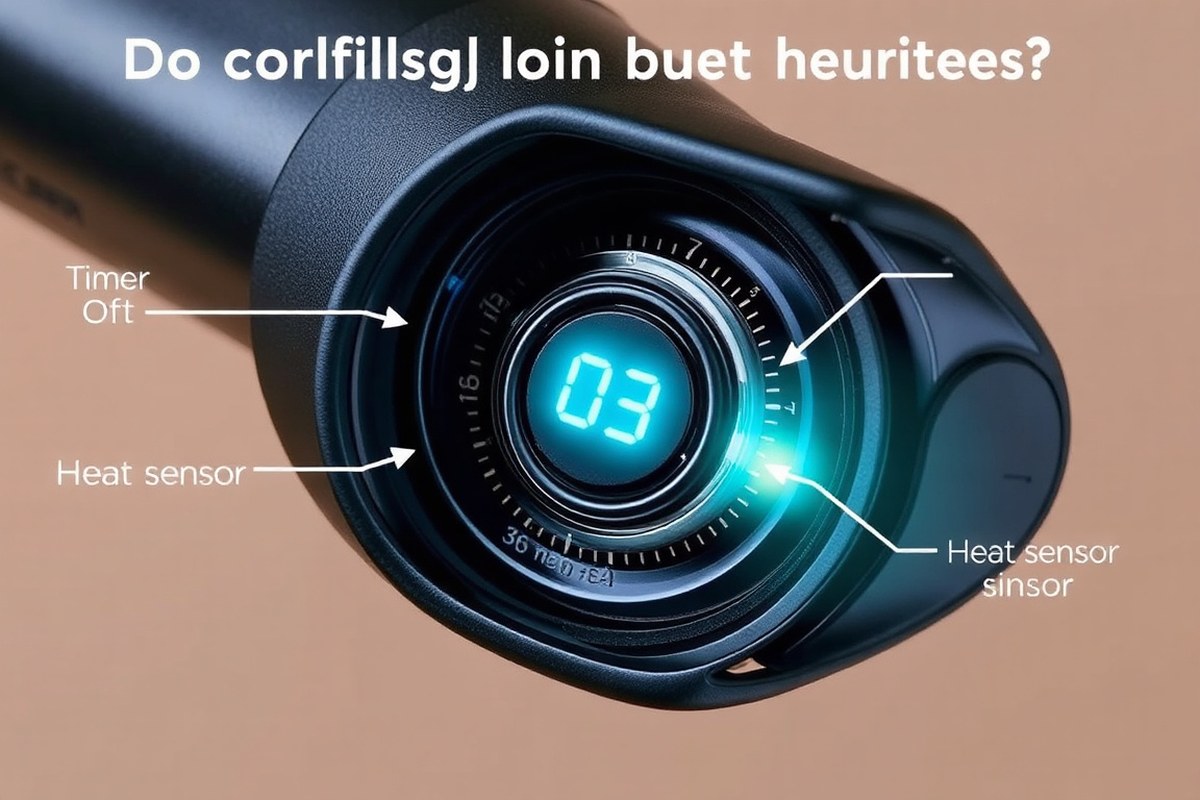
The automatic shut-off feature uses sensors and timers. It turns the curling iron off after some time without use. This helps save energy and prevents accidents.
This helps prevent burns or fire hazards if you forget to unplug it. When the iron powers down, you simply reset the temperature dial to resume styling.
Sensors and Timers Inside Curling Irons
Inside most curling irons, a timer chip counts down once the iron stops moving or heating. It measures inactivity, usually between 30 and 60 minutes, before triggering a power cut. Heat sensors watch the temperature carefully.
They cut power if the iron gets too hot. This stops the tool from overheating.
These sensors work together to make sure the curling iron switches off safely. The timer resets when you switch the iron off and back on. This system helps lower fire risk.
It also protects your hair from too much heat. Overheating can cause serious damage.
Trigger Conditions for Automatic Power Down
The main trigger for automatic shut-off is inactivity. The timer starts when you stop using the curling iron. It switches the device off if there is no movement.
Some curling irons turn off if the heat gets too high. This signals a possible overheating problem. It keeps you and your hair safe.
This feature activates without warning once the set time passes or overheating happens. You might notice the iron feels cold or the indicator light turns off. In these moments, the curling iron stops supplying heat to prevent accidents.
User Steps to Reactivate After Shut-Off
After the curling iron shuts off automatically, you need to reset it before use. The process is straightforward and can be done quickly to get back to styling. Follow these steps to restart it safely and properly:
- Turn the temperature dial all the way to the “0” or “off” position.
- Wait a few seconds to ensure the device fully powers down.
- Rotate the dial back to your preferred temperature setting.
- Wait for the curling iron to heat up again, usually a minute or two.
- Check the indicator light to confirm the iron is heating.
- Test the barrel temperature gently before styling hair.
- Resume curling once the iron reaches the right heat.
Keep moving the iron steadily during use to avoid unintended shut-offs from inactivity.
Typical Shut-Off Times and How They Vary by Brand
Most curling irons with automatic shut-off turn off between 30 minutes and 60 minutes. The exact time varies by brand and model. Some premium irons offer adjustable shut-off timers for more control.
30-Minute Auto Shut-Off Models
Certain brands use a 30-minute auto shut-off timer on curling irons. This quick shut-off reduces accident risks from leaving the tool on too long. It benefits users who style rapidly and need extra protection.
However, a 30-minute timer might be too short for longer styling sessions. You could find your iron turning off before you’re done. This limitation mainly affects thick or long hair styling.
60-Minute or Longer Timer Models
Many curling irons use a 60-minute auto shut-off timer. Sixty minutes gives enough time for most hairstyles. It balances convenience and safety well for daily use.
Some higher-end models extend the timer beyond 60 minutes. Longer timers work better for elaborate styles or multiple users. Still, the iron turns off eventually to reduce fire risks.
Adjustable Timer Options on Premium Curling Irons
More expensive curling irons sometimes offer adjustable shut-off times. You can set the timer based on how long you generally style your hair. This feature brings flexibility for different needs.
Adjustable timers range from 30 minutes up to 120 minutes. It helps avoid interruption during styling while maintaining user safety. These models tend to cost more due to extra technology.
The TYMOFashionTech 2-in-1 Flat Iron includes automatic shut-off and dual use for curling and straightening. It heats up quickly in 10 seconds and has 32 temperature settings. Here is a quick look at some curling iron brands and their typical auto shut-off times.
| Curling Iron Model | Shutoff Timer | Where It’s Listed |
|---|---|---|
| Conair Double Ceramic 3/4″ | 60 minutes | Target product page |
| Ion Titanium Pro 1-1/4″ | 60 minutes | Sally Beauty product page |
| Various budget models | No feature | Retail category filters |
| Various premium models | 30 to 120 minutes | Brand listings |
Knowing your curling iron’s shut-off time helps you plan styling sessions. Short timers suit quick use, while longer ones fit slow styling or thick hair. Adjusting your routine around these limits prevents interruptions or safety issues.
Which Brands and Models Include Automatic Shut-Off Features?
Most big-name brands offer curling irons with automatic shut-off. In 2026, many models come with this safety feature to help prevent fires. Check the product description or packaging before buying.
This tells if auto shut-off is included. Don’t skip this step when choosing a curling iron. Some brands clearly list it under safety features.
Brands like Conair, BaByliss, Hot Tools, and Remington often include automatic shut-off in their popular models. These brands focus on safety and also deliver good styling performance. The auto shut-off usually activates after 30 to 60 minutes.
It depends on the model you have. Some turn off quicker, some take longer.
You can pick a curling wand or clamp iron. Many models from popular brands include automatic shut-off. This safety feature helps avoid accidents.
However, clamp irons might have slightly different timers than wands. So, check the exact shut-off time in the product details for the type you prefer.
- Conair InfinitiPro models with auto shut-off
- BaBylissPRO curling irons and wands
- Hot Tools Professional series with 60-minute shut-off
- Remington Pearl or Pro Curl irons
- T3 curling irons with built-in safety timers
- Check the product box or website specs to confirm auto shut-off
- Compare shut-off times between wands and clamp irons of the same brand
Some lesser-known brands still lack automatic shut-off, so watch for that. Paying a bit more often lands you a curling iron that turns off automatically. This helps save energy and reduces fire risks.
Using a curling iron without auto shut-off needs care. You must watch it closely to avoid leaving it on. Accidental fires can happen if you don’t.
Besides safety, choosing a model with automatic shut-off adds convenience. You don’t have to rush or remember to unplug the iron. That feature matters most if you get distracted or often forget about heated appliances.
Safety Benefits and Limits of Auto Shut-Off in Curling Irons
Auto shut-off cuts power after a certain time. This helps reduce fire risk. It turns the curling iron off automatically.
Leaving a hot curling iron unattended can cause damage. It may start a fire if it touches flammable stuff.
Always watch your iron carefully. This feature cuts power automatically, giving you peace of mind if you forget to unplug it.
Though auto shut-off helps prevent fires, it doesn’t eliminate all risks. The auto shut-off might not detect heat on fabric or paper. It can miss if the iron tips touch these while hot.
So, avoid letting it touch those materials. Keep your curling iron away from wet surfaces while using it.
Also, avoid placing it near flammable materials. This helps keep you safe.
Auto shut-off usually activates after 30 to 60 minutes of inactivity. Some irons let you adjust this time to balance safety and convenience. The auto shut-off can fail because of mechanical problems.
Sometimes, pressing buttons resets the timer and overrides the feature. So don’t rely on it alone for safety.
The best way to avoid problems is not to rely only on auto shut-off. Unplug your tool right after use and store it safely. Use irons that clearly state their auto shut-off time in the manual or product details.
Never leave your curling iron plugged in near water or flammable items, even with auto shut-off.
How to Choose a Safe Curling Iron with Automatic Shut-Off
Choose a curling iron with automatic shut-off to reduce fire risks and save energy. Look for models that turn off after about 60 minutes of inactivity. This feature adds peace of mind, especially if you often forget to unplug your device.
Barrel material impacts how heat spreads and can affect hair health. Titanium barrels heat evenly and last longer but cost more. Ceramic barrels provide gentler, consistent heat, protecting hair from damage and are usually cheaper.
- Auto shut-off time of 60 minutes or less
- Barrel size matching your hair type and desired curl style, such as 1 to 1.5 inches
- Maximum temperature settings around 410°F to 450°F for versatile styling
- Barrel material: titanium for fast, even heat or ceramic for gentler heating
- Dual voltage if you travel internationally
- Comfortable grip and secure clip operation to prevent accidental burns
- Heat-resistant storage pouch or stand for safe placement during use
Digital temperature control helps you pick the right heat without guessing. Avoid models without automatic shut-off if you tend to rush through styling.
Prices usually start around $30 for basic ceramic curling irons. Titanium and digital models can cost $80 or more.
Good outcomes look like smooth curls without hair burning or uneven heat hotspots. Avoid curling irons above 450°F unless you have thick, coarse hair. Always check the label for safety certifications and read user reviews for reliability before buying.
Common User Mistakes with Automatic Shut-Off and How to Avoid Them
Many people wrongly believe curling irons turn off right after they stop moving. The automatic shut-off usually happens after 30 to 60 minutes of no use, not immediately. This delay helps avoid interruptions during styling but can cause confusion.
Your styling habits affect when the iron shuts off. Pausing or letting the iron rest on your hair may delay shut-off. Leaving the iron idle off your hair speeds up the automatic shut-off.
Accidental shut-offs happen when you leave the curling iron unused but still plugged in. This can waste heat time and mess with your styling flow.
Also, some models only shut off if they detect no movement or temperature change. That means heavy, continuous use might prevent shut-off.
- Don’t expect the iron to turn off the moment you stop styling
- Keep the iron on a safe heat-resistant place when pausing
- Avoid frequent long pauses that confuse the shut-off sensor
- Use irons with smart sensors that detect movement and heat changes
- Unplug the iron if you’ll stop styling much longer than the shut-off time
- Check your model’s manual to understand its shut-off timing and conditions
Some users try to trick the system by moving the iron slightly to reset the timer. This practice can be unsafe because the iron remains hot longer. Learning your iron’s shut-off time helps you plan breaks smartly without risk.
The power-off feature reduces fire risk if you forget the iron on. However, automatic timers don’t replace manual caution. Regularly unplugging your curling iron after use remains a good safety rule.
Troubleshooting and What to Do If Your Curling Iron Doesn’t Auto Shut Off
First, check if your curling iron has an auto shut-off feature. Sometimes the feature can be disabled, or the iron may have malfunctioned. Test the iron safely.
Look at the product details. This helps you decide what to do next.
Checking the Product Manual or Specification
Look at the manual or product page for any mention of automatic shut-off. The manual usually states how long the iron stays on before it powers down.
Some brands, like Babyliss, turn off after about 72 minutes. Others shut off after 30 or 60 minutes of continuous use. Knowing this lets you set expectations and check if the iron acts as promised.
Testing Auto Shut-Off Functionality Safely
Try testing the feature in a safe space away from anything flammable. Unplug the iron after the test to avoid risks. Follow these steps to test it properly:
- Plug in the curling iron and turn it on.
- Leave it on a heat-safe surface and away from fabrics.
- Note the time when it powers on.
- Stay nearby to watch for automatic shut-off.
- See if the iron turns off within its expected time. Normally, that is 30, 60, or 72 minutes.
- Turn the iron off yourself if it doesn’t shut off. Then unplug it right away.
- Read the manual’s troubleshooting section for next steps.
Never leave a curling iron unattended during testing to prevent fire risks.
When to Consider Replacing or Repairing Your Curling Iron
The auto shut-off feature can fail due to wear or damage. Your iron could be unsafe if it never turns off. Don’t use it until repaired.
Replacing the curling iron is often cheaper and safer than fixing internal electronics. Most quality irons with this feature cost between $20 and $100.
Some irons let you disable auto shut-off. This might explain why it stays on longer.
Step-by-Step Action Plan for Using Your Curling Iron Safely
Follow these simple steps to enjoy curling your hair without worrying about safety. Each step helps you check that the automatic shut-off works as expected.
- Before first use: Read the user manual to find the auto shut-off time. Knowing this helps you trust the feature.
- Day 1: Plug in the curling iron and heat it up. Then leave it on without touching it. Check if it turns off automatically after the set time.
- Week 1: Use the curling iron normally and set a timer on your phone. Confirm shut-off matches the timer. This builds your confidence in the feature.
- After 2 weeks: Inspect the power cord and plug for wear. Unplug after use even if it shuts off. This prevents damage or fire risks.
- Month 1: Clean the barrel carefully to maintain heat efficiency. Avoid blocking vents that help auto shut-off sensors work well.
- Every use: Keep the curling iron on a heat-safe surface and avoid wrapping the cord tight. This keeps the device safe and prolongs life.
Frequently Asked Questions
How Long Does It Take for a Curling Iron to Auto Shut Off?
Most curling irons turn off automatically after 30 to 60 minutes. This feature helps prevent fire risks if you forget to unplug it.
Can I Restart My Curling Iron After It Shuts Off Automatically?
Yes. Turn the temperature dial to “0,” then set your desired heat again. This resets the curling iron safely for use.
Do All Curling Irons Have an Automatic Shut-Off Feature?
No, not all do. Many modern models include it. But some older or cheaper ones may lack this safety function.
What Should I Do If My Curling Iron Doesn’t Turn Off Automatically?
Check the manual to confirm if auto shut-off is supported. You should contact customer service or replace the iron if it’s faulty.
Will Auto Shut-Off Affect My Styling Time with a Curling Iron?
It can. Taking more than 30 to 60 minutes might cause the iron to turn off. Restarting is simple but may disrupt your flow.
Are There Brands Known for Reliable Auto Shut-Off in Curling Irons?
Babyliss and Conair are popular for safety features like auto shut-off. They usually turn off after 30 to 72 minutes, depending on the model.
Wrapping Up
Curling irons with automatic shut-off provide an extra safety layer but don’t rely on them alone. Always unplug your device after use and follow the manual’s care tips. Check the feature regularly to avoid surprises and stay safe while styling.


